Why Azure Container Apps Should Be Your Go‑To for Azure Functions
Running Azure Functions in Azure Container Apps (ACA) gives you the best of both worlds: the simplicity of serverless with the flexibility of containers. It’s a powerful way to modernise workloads without losing what makes Functions special — rapid development, event‑driven execution, and effortless scaling.
Why ACA is the natural fit
- Native integration: ACA now has first‑class support for deploying Functions directly.
- Flexibility of containers: Package Functions with custom dependencies, runtimes, or configurations that might be awkward in the standard Functions hosting model.
- Unified platform: Run Functions alongside microservices, APIs, and background jobs, all within the same environment.
- Scalability with KEDA: ACA uses Kubernetes‑based Event Driven Autoscaling, giving you fine‑grained control over how Functions scale.
- GPU capability: ACA supports GPU workloads, enabling Functions to leverage hardware acceleration for tasks such as machine learning inference, image processing, and data science pipelines. This is a huge step forward for developers who want serverless simplicity but need serious compute power.
Microsoft provides container images for Azure Functions, and the easiest way to get started is in Visual Studio Code using the Azure Functions Core Tools.
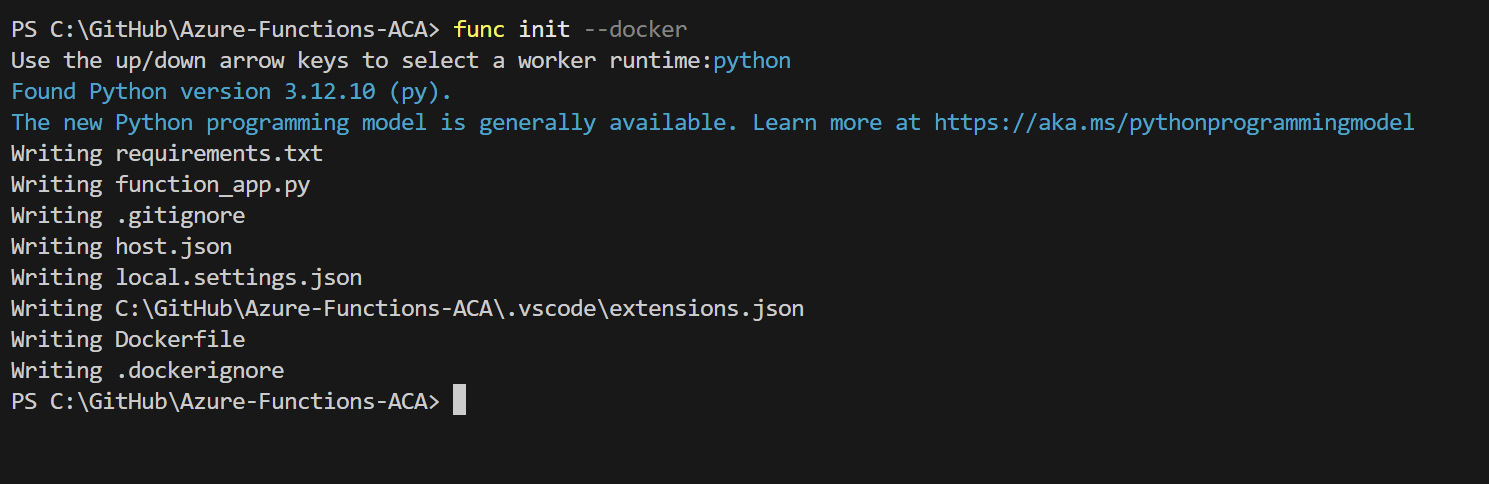
You’ll receive the boilerplate code to begin your Azure Function development, and the only difference is that you are also provided with a Dockerfile.
# To enable ssh & remote debugging on app service change the base image to the one below
# FROM mcr.microsoft.com/azure-functions/python:4-python3.12-appservice
FROM mcr.microsoft.com/azure-functions/python:4-python3.12

ENV AzureWebJobsScriptRoot=/home/site/wwwroot \
    AzureFunctionsJobHost__Logging__Console__IsEnabled=true

COPY requirements.txt /
RUN pip install -r /requirements.txt

COPY . /home/site/wwwroot
The best part is that this gives you the flexibility to install your own software and libraries if you wish — you really can. I’ll add a simple HTTP function with anonymous authentication. The only drawback to running Azure Functions in Azure Container Apps is the lack of support for keys. Usually, with an HTTP function, you have several options to protect your endpoint, but those keys are generated by Azure Functions when hosted natively in Azure.
The workaround for now is to secure the endpoint with Microsoft Entra authentication. Alternatively, you could hard‑code the keys statically into host.json — though I wouldn’t recommend that — or implement key validation using Azure Key Vault and check the values in code, but that approach feels a little annoying.
import azure.functions as func
import datetime
import json
import logging

app = func.FunctionApp()

@app.route(route="running_in_aca", auth_level=func.AuthLevel.ANONYMOUS)
def running_in_aca(req: func.HttpRequest) -> func.HttpResponse:
    logging.info('Python HTTP trigger function processed a request.')

    name = req.params.get('name')
    if not name:
        try:
            req_body = req.get_json()
        except ValueError:
            pass
        else:
            name = req_body.get('name')

    if name:
        return func.HttpResponse(f"Hello, {name}. This HTTP triggered function executed successfully.")
    else:
        return func.HttpResponse(
             "This HTTP triggered function executed successfully. Pass a name in the query string or in the request body for a personalized response.",
             status_code=200
        )
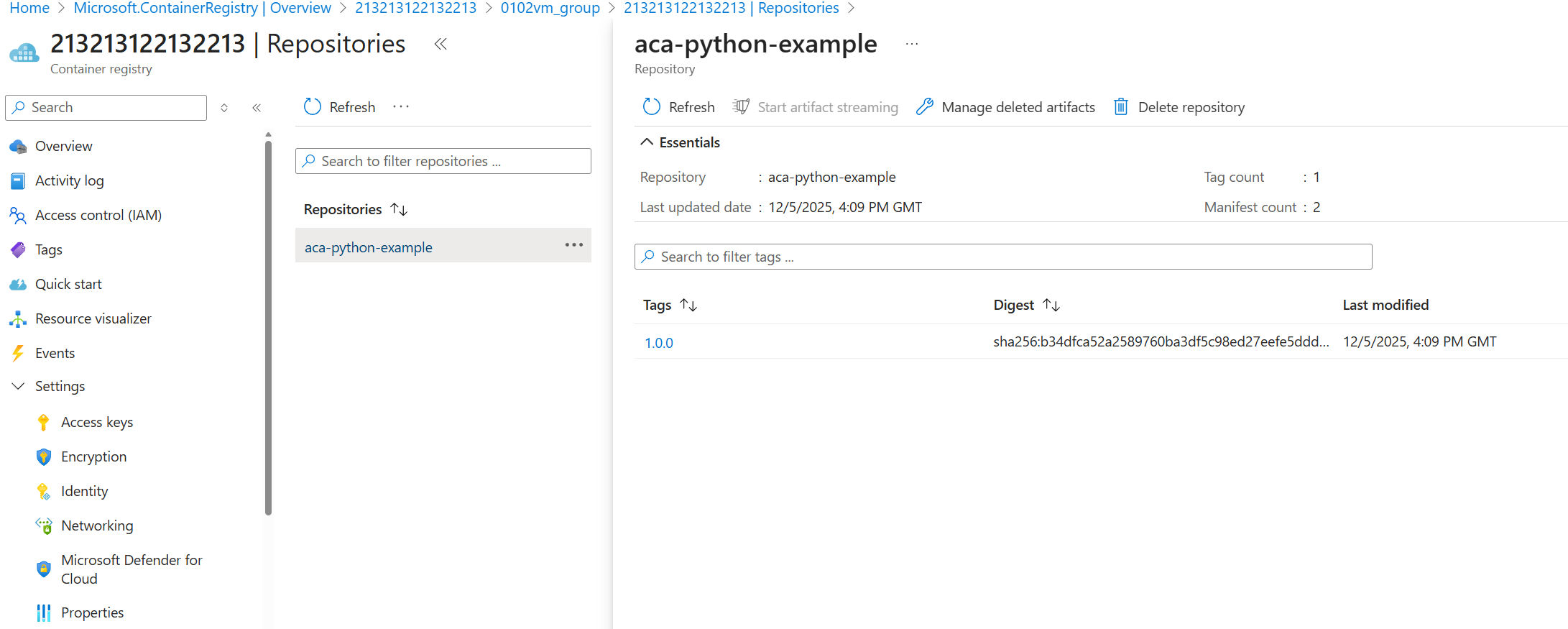
Let's say we are happy with that and we want to push to our Azure Container Registry. Let's do that now. I'll use the az acr build command to build the container image and store it in my registry.
az acr build --registry MyRegistry oci://myregistry.azurecr.io/myartifact:mytagI now have my Azure Function in the container registry.
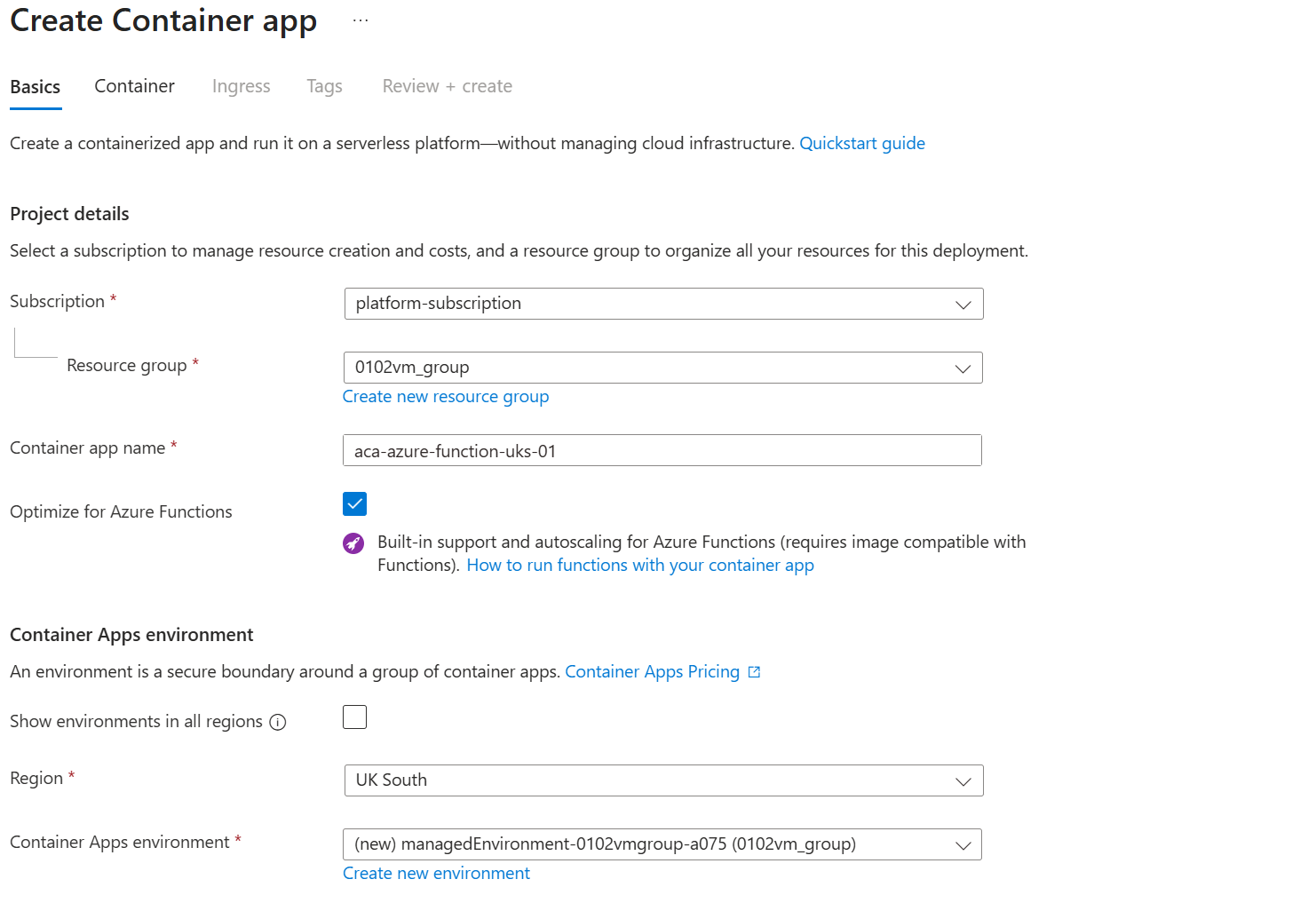
Proceed to deploy an Azure Container App, ensuring that the Optimise for Azure Functions option is selected. This sets the kind to functionapp and enables the following benefits:
The Container Apps hosting model combines the flexibility of containerised workloads with the event‑driven nature of Azure Functions. Key advantages include:
- Run Azure Functions as containers with custom dependencies and language stacks.
- Scale from zero up to 1,000 instances using KEDA.
- Secure networking with full VNet integration.
- Advanced Container App features such as multi‑revisions, traffic splitting, Dapr integration, and observability components.
- Serverless and dedicated GPU support for compute‑intensive workloads.
- Unified Container Apps environment to run Functions alongside microservices, APIs, and background jobs.
Point the ACA to our newly deployed image.
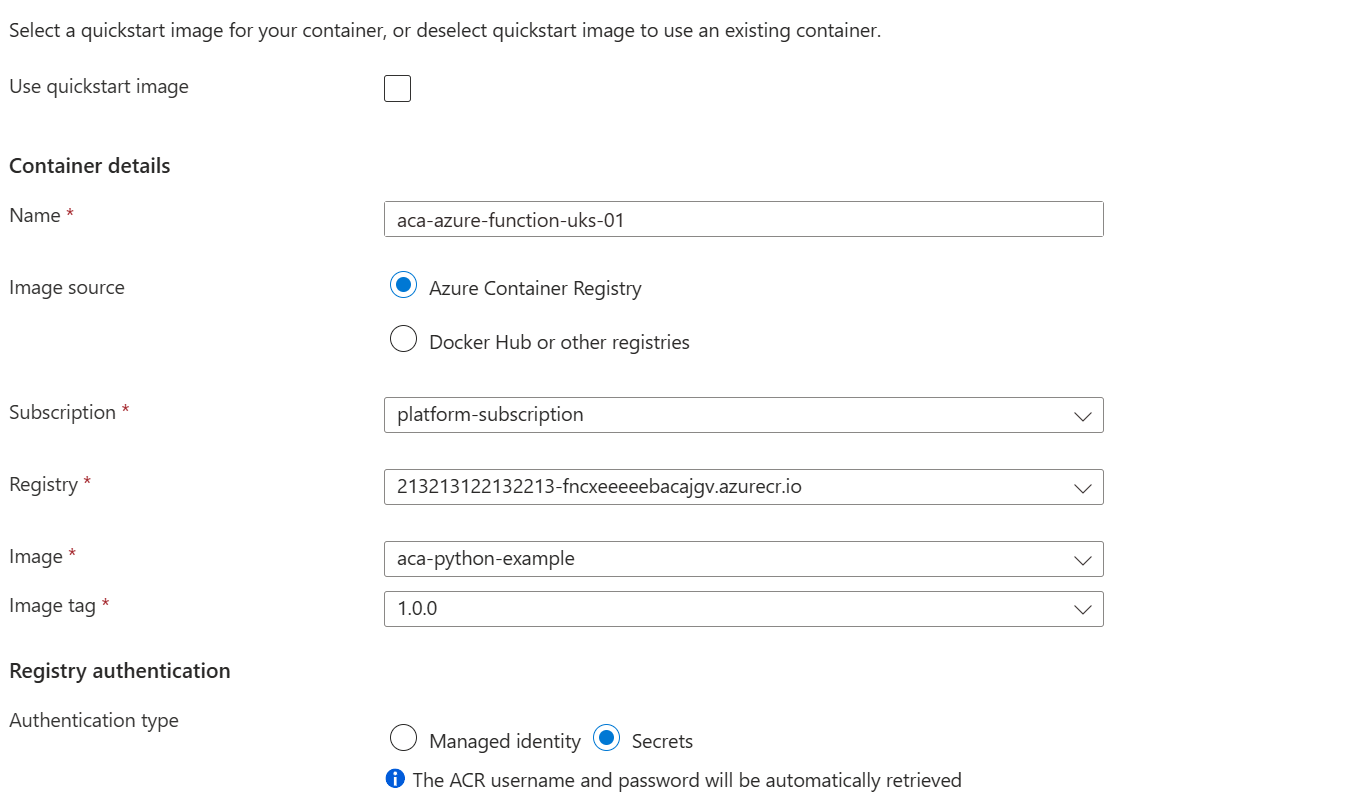
As this is running Azure Functions, the AzureWebJobsStorage environment variable must always be configured to point to a valid Azure Storage account. This storage account is used internally by Azure Functions to manage essential runtime operations, such as maintaining function state, handling triggers and bindings (for example, queue or blob triggers), and storing logs and checkpoint data to ensure reliable execution and scaling.
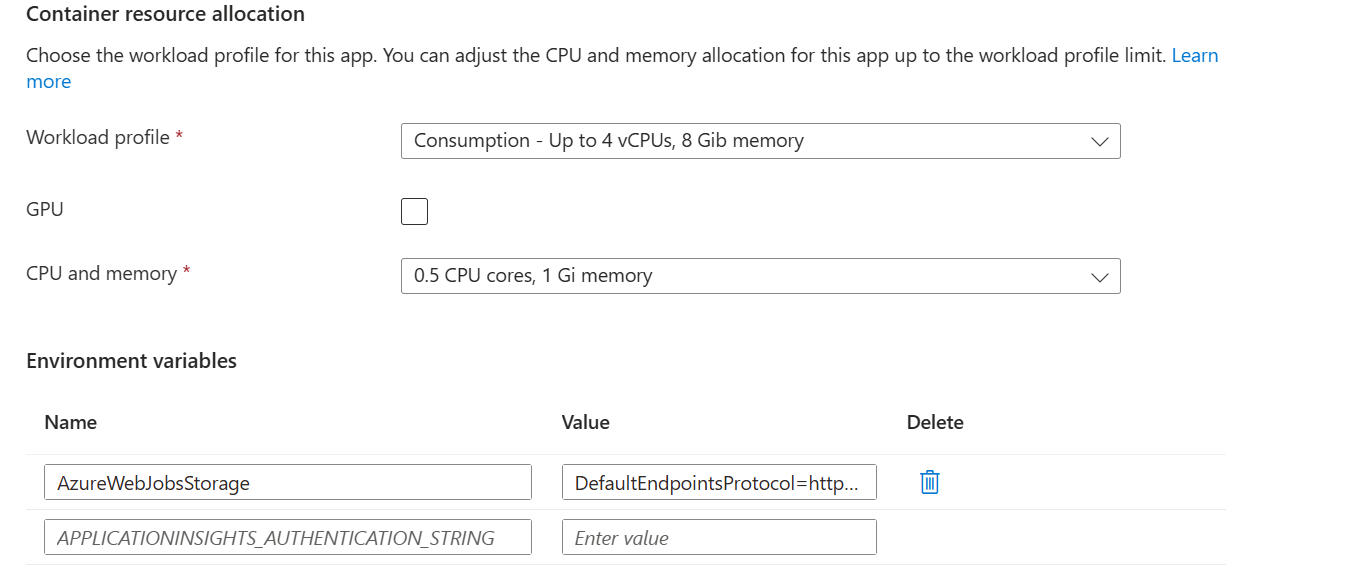
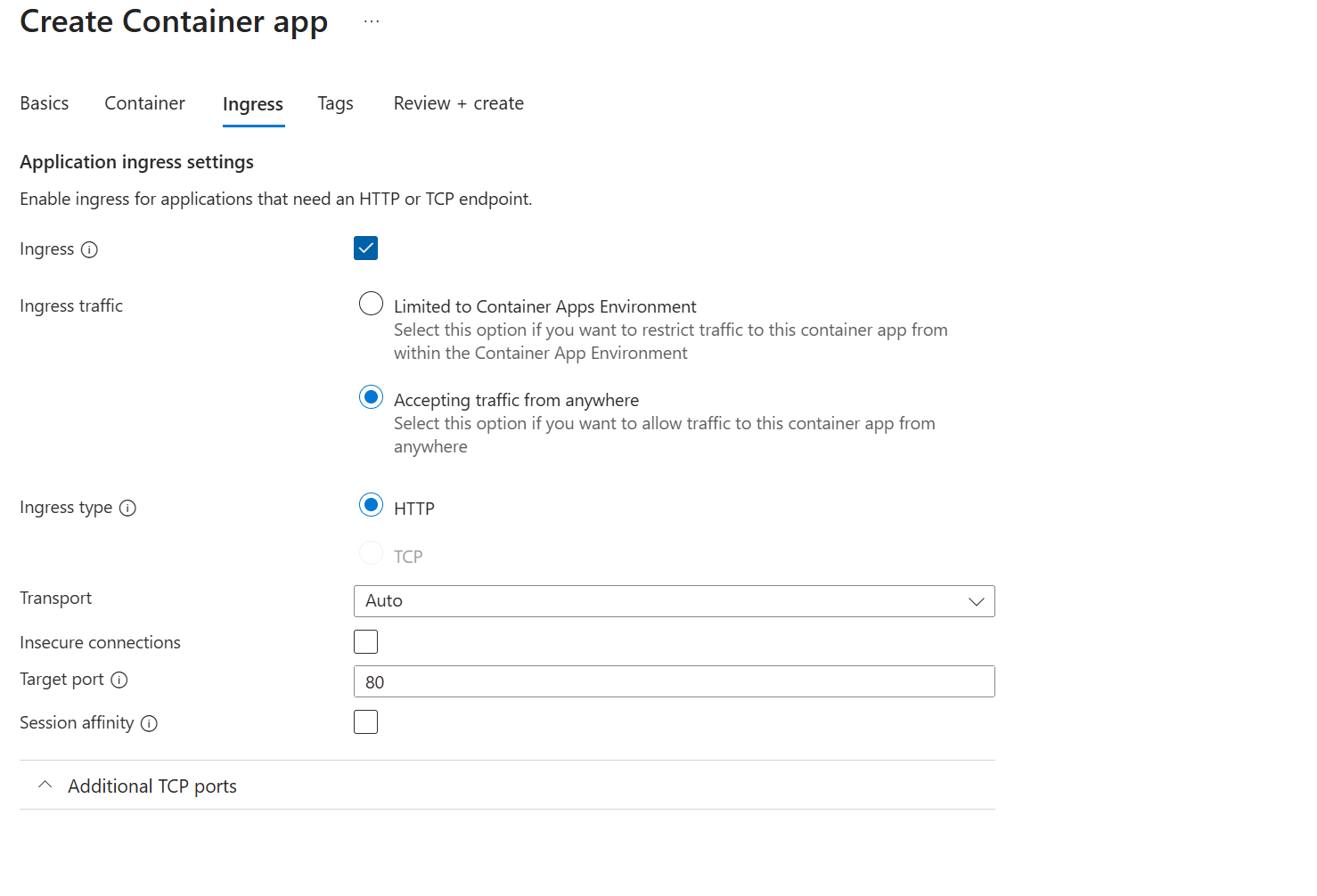
As we are exposing an HTTP endpoint, we will need to make the container app accessible either to the virtual network or to the public internet. In this example, I will use the public internet. The default port for exposing a Function App in ACA is port 80.
Once the deployment is complete, you will have a Function App running in Azure Container Apps. You can verify this by navigating to the container app’s FQDN and viewing the default Azure Functions page.
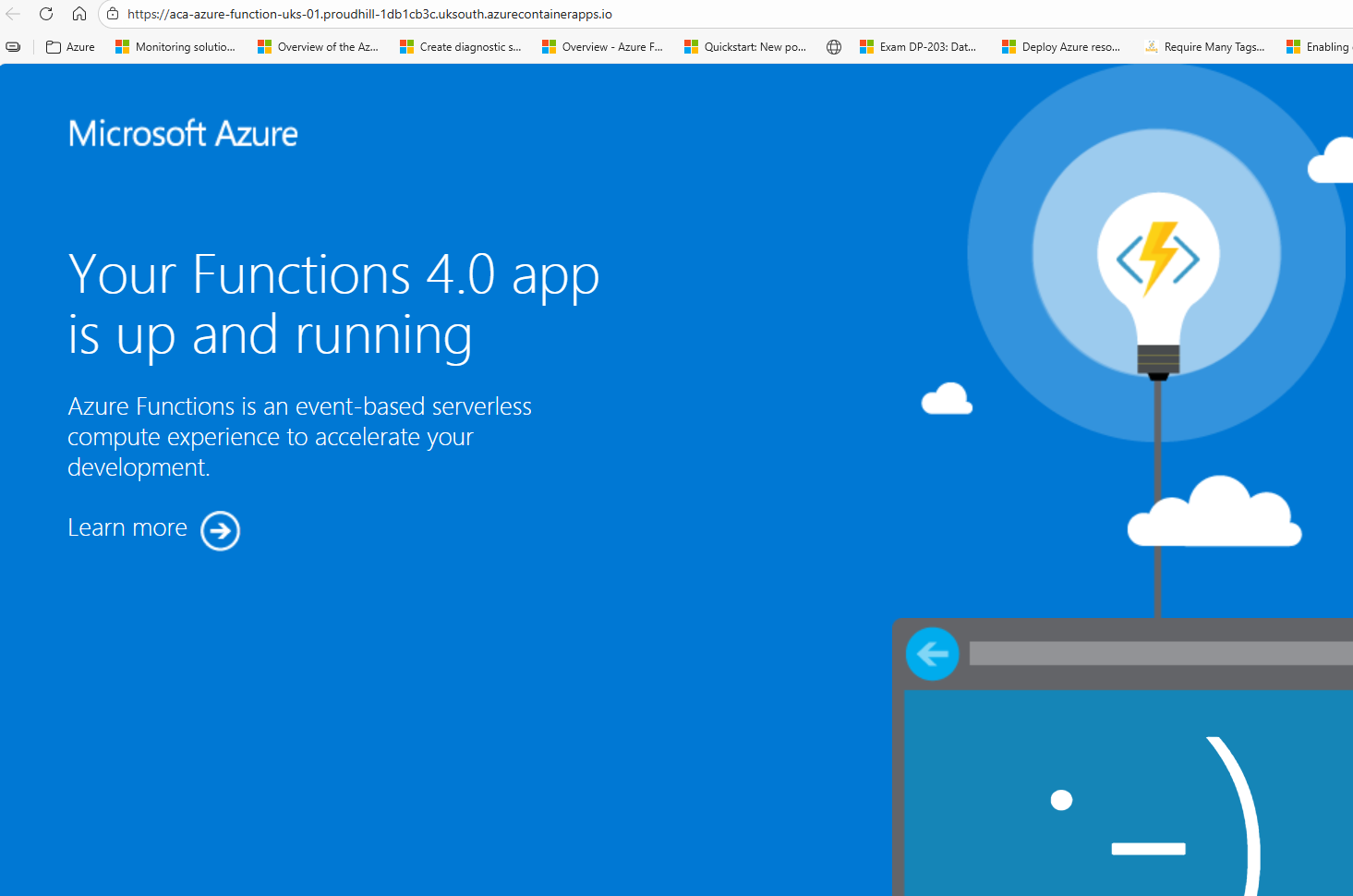
Everything appears to be working - let's test our HTTP trigger and confirm it's working.
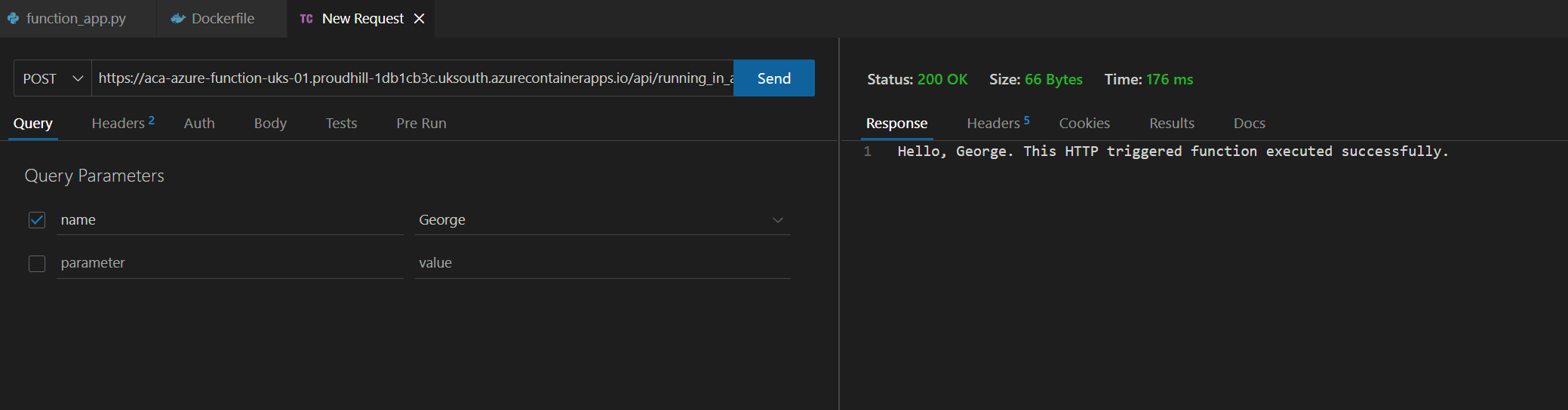
As you can see, it’s remarkably straightforward to set up Azure Functions in Azure Container Apps. With just a few steps — building your image, pushing it to Azure Container Registry, and deploying with the Optimise for Azure Functions option — you gain all the benefits of serverless development while unlocking the flexibility of containers.
This approach means you can:
- Package Functions with custom dependencies and runtimes.
- Scale seamlessly from zero to thousands of instances with KEDA.
- Secure workloads with VNet integration and Microsoft Entra authentication.
- Take advantage of advanced features such as traffic splitting, Dapr integration, and observability.
- Even run GPU‑accelerated workloads for compute‑intensive scenarios.
Azure Container Apps is quickly becoming the natural home for Azure Functions, offering a unified environment where microservices, APIs, background jobs, and Functions can coexist and scale together. If you’re modernising workloads or want more control without losing the simplicity of serverless, ACA should be at the top of your list.